Implementing Notion as a management tool for a non-profit coworking space
As a preamble, I should mention that this work was carried out on a volunteer basis.
I am the treasurer of the non-profit organization La Plage Digitale, for which I implemented this setup.
Like in many non-profit organizations, operations rely primarily on people’s involvement — which means a fair amount of improvisation — and tools tend to accumulate over time to address immediate needs.
Structuring and formalizing processes is rarely the priority.
Budgets — both financial and time — are usually limited, so we focus on what is most urgent.
Beyond that, people often join associations to act, not to deal with administration (although some of us happily enjoy both 😁).
So what we typically find is:
- loosely defined processes,
- scattered information,
- and operational knowledge concentrated in a few individuals.
My role as treasurer — combined with an insatiable curiosity — naturally led me to first understand the existing situation, and then look for ways to clarify, make more reliable, and simplify day-to-day operations.
Let’s combine the treasurer role with a passion I now have to acknowledge:
I genuinely enjoy analyzing things in order to clean them up and improve them 😉.
This usually means automating, documenting, and simplifying — with at least one goal in mind:
help people be just a little more efficient in their work than before.
Context: a non-profit coworking space and its constraints
La Plage Digitale is:
- a community space,
- offices (long-term desk allocations),
- meeting rooms,
- business domiciliation,
- a flex space accessible by the day.
All this involves:
- client companies,
- association members,
- maintaining a nearly 1,000 m² facility,
- suppliers,
- recurring and one-off uses,
- invoicing,
- a mostly volunteer team that evolves over time,
- etc.
And above all, dozens of volunteers (including a board and executive committee).
On top of this already typical non-profit context, an important constraint appeared:
our operations director went on long-term leave, and we had to take over a significant part of her responsibilities.
This situation quickly highlighted several things:
- much information was implicit,
- some processes relied heavily on one person,
- operational continuity depended more on collective memory than on structured tools.
For accounting and invoicing, we use Pennylane, which fits those needs very well.
However, Pennylane is not meant to be an operational management tool.
For documentation and some recurring tasks, we were mainly using:
- Google Drive
- Trello
The problem to solve (before talking about tools)
Before thinking about solutions, I tried to ask the right questions:
- Who uses what, and in what capacity?
- Where is important information centralized?
- How can this knowledge be transmitted over time?
- How can we ensure that one person’s absence does not disrupt the association?
Which can be summarized as:
How do we ensure that the organization does not depend on a single person?
The prolonged absence of the operations director accelerated this realization:
what is neither formalized nor supported by tools quickly becomes hard to transmit.
That is when the idea of a mini-ERP emerged.
Why Notion?
The choice of Notion was driven by very pragmatic reasons:
- I was already familiar with the tool,
- some board members (around 10 people) also knew it,
- onboarding is fast,
- it allows modeling business objects without excessive complexity,
- it encourages structure without being too rigid,
- and the cost is very reasonable.
The goal was not to build a fixed system, but a space able to evolve gradually with usage.
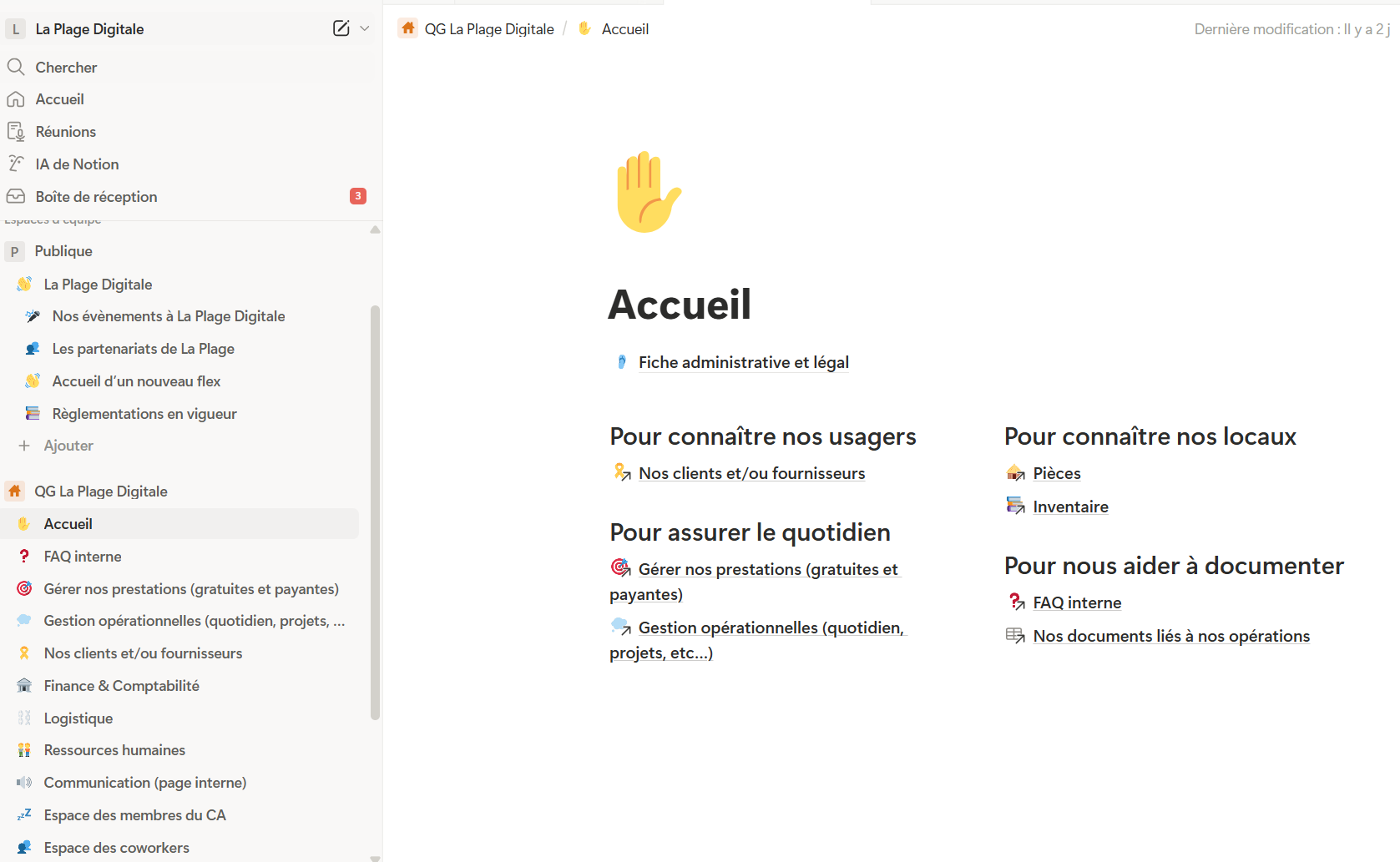
A progressive construction, driven by needs
The Notion workspace was not built all at once.
It evolved step by step, as new needs appeared.
The first building blocks were:
- a database listing client companies,
- a separate database for association members.
This distinction proved essential to avoid confusion between contractual relationships and membership.
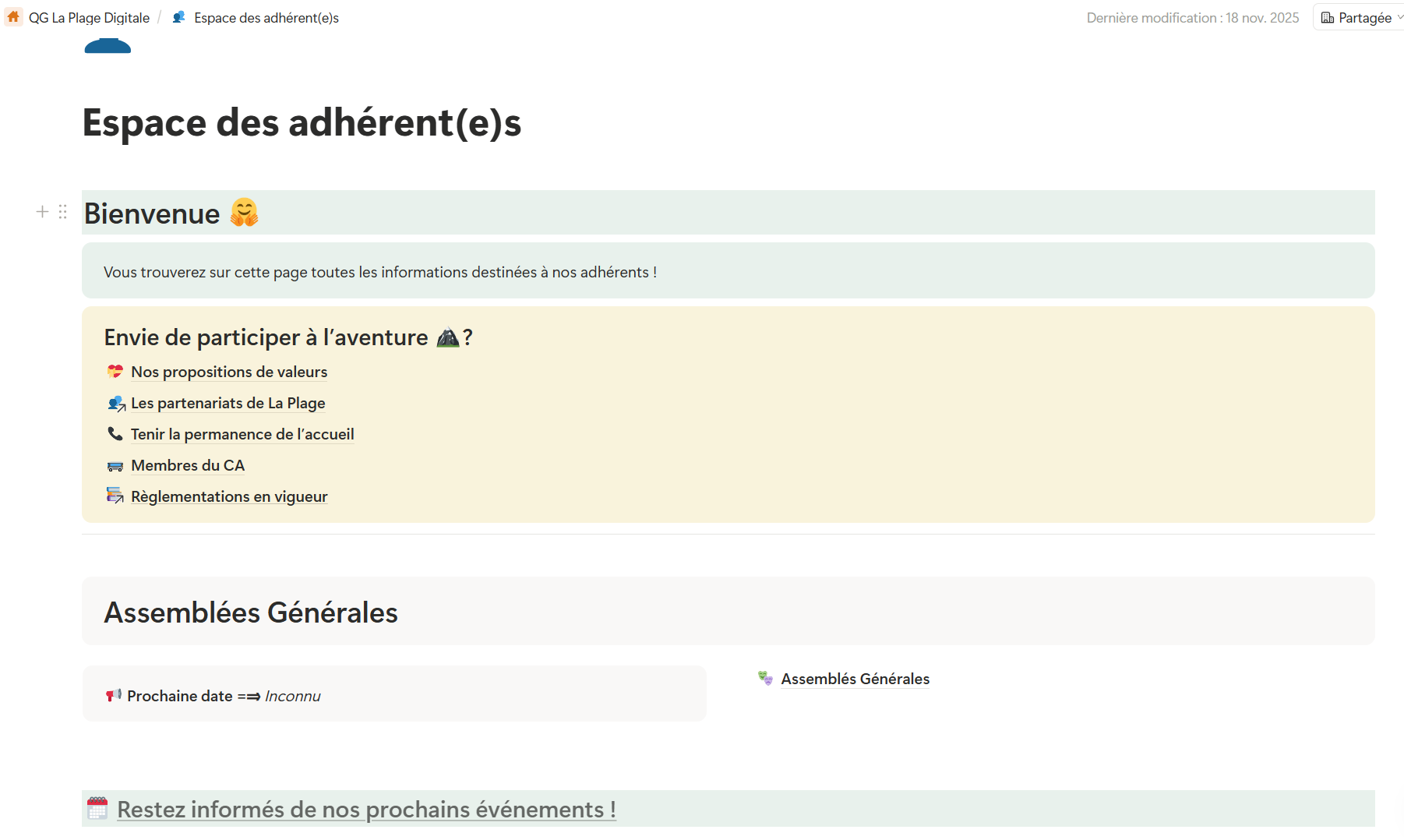
Gradually, other spaces complemented the system:
- a public space allowing people to register for the flex area,
- a members space gathering:
- general assembly minutes,
- board and committee composition,
- monthly coworker meeting notes.
Structuring operations beyond individuals
As the workspace matured, more operational needs appeared:
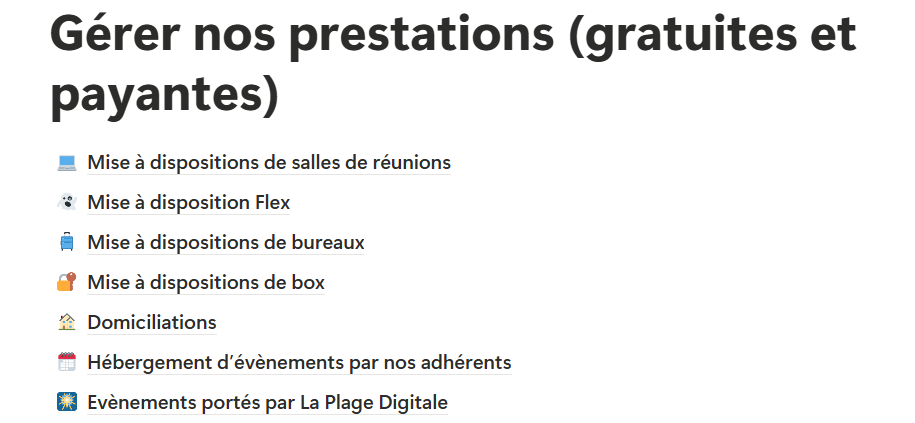
- a space dedicated to service tracking (rooms, domiciliation, additional services),
- a space to record assets and manage inventory, including location.
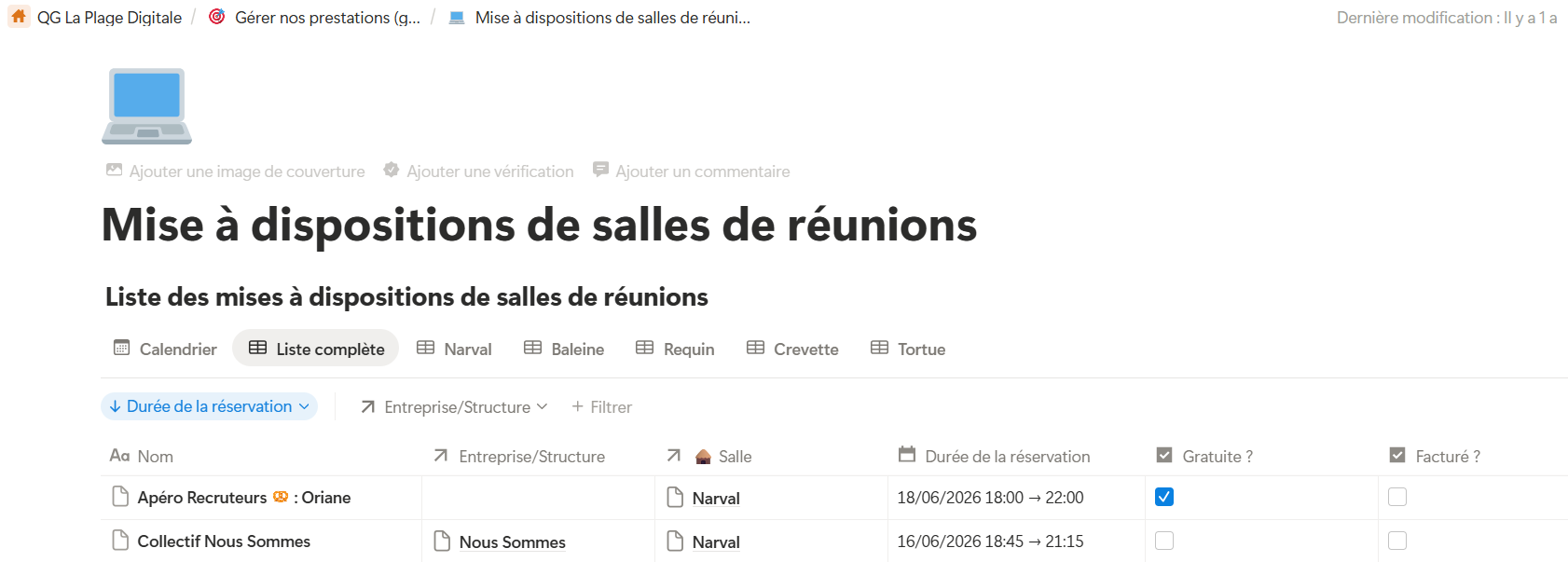
In this screen, each page listed is a Notion database.
Each row corresponds to a current or past service.
Two example rows are visible below.
I rely heavily on Notion’s Relation property, which allows databases to be linked together.
Here, we can see a link to the corporate clients database and the meeting room concerned by the booking.
This makes it very easy to generate statistics for our annual activity report.
Articulation with Pennylane
Pennylane remains:
- the accounting source of truth,
- the invoicing tool,
- the link with the accountant.
Notion, on the other hand, centralizes operational information:
- contracts and allocations,
- tracking data,
- context useful for invoicing.
There is no full automation between the two tools — this is an intentional choice.
The main benefit lies elsewhere:
less ambiguity, less dependency on individuals, less cognitive load.
Making information accessible and shareable
Another important aspect was making information easy to access:
- a user FAQ (rules, functioning, usage),
- an internal FAQ, focused on processes and organization.
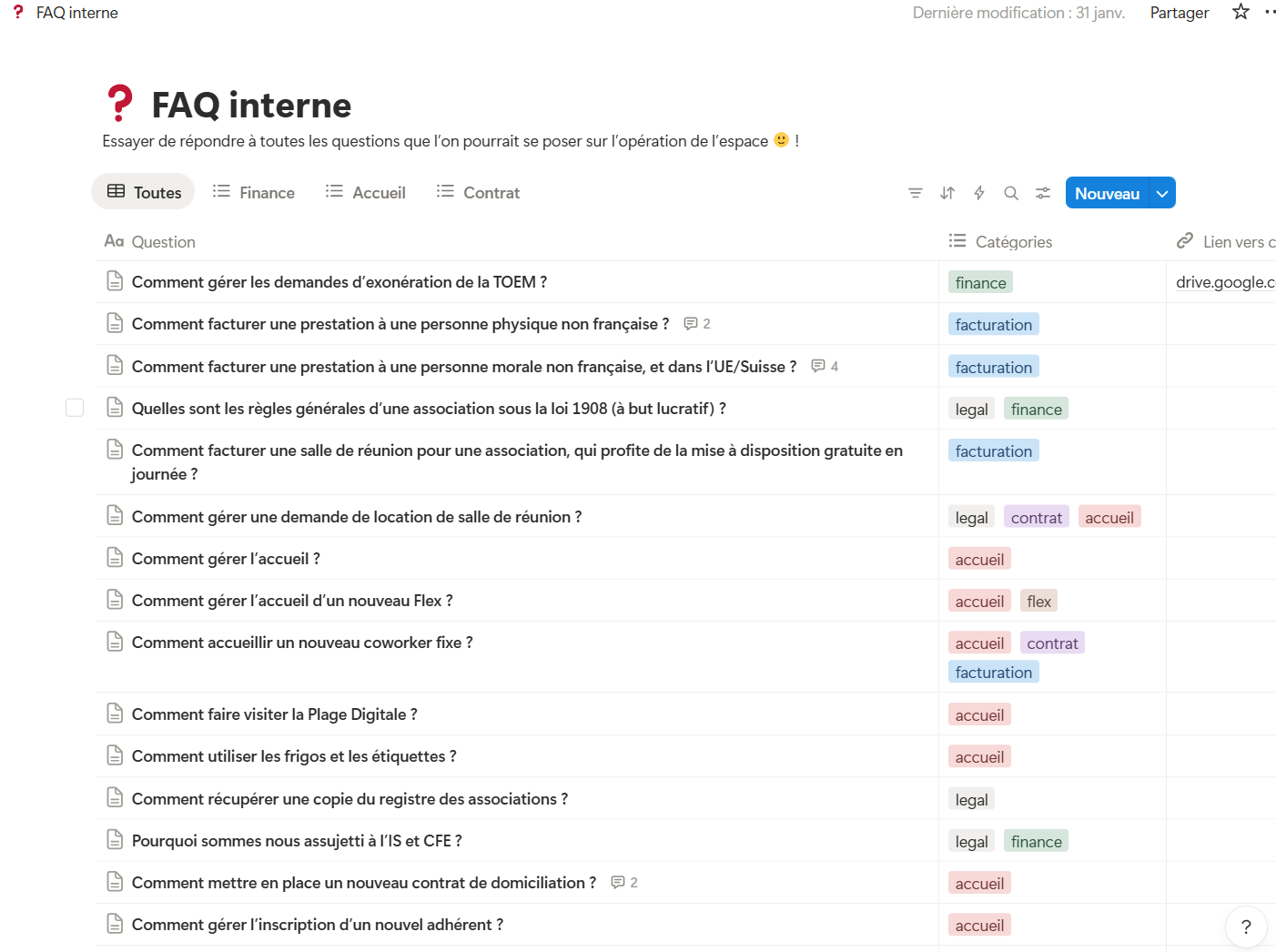
This reduced direct questions and aligned practices.
What changed in practice
Looking back, several effects emerged:
- fewer recurring questions,
- better global understanding,
- more fact-based decisions,
- a solid foundation for future evolution if needed.
And above all — the key point for me — the system can now be taken over and improved by others,
minimizing dependency on a single person.
Summary of tools used to manage the association
If other non-profits happen to read this post, here are additional tools we use alongside Notion and Pennylane:
- Google Workspace / G Suite → domain, internal email, mailing lists, calendar, drive
- Google Drive → storage for “cold” documents (signed contracts, financial reports, forecasts, etc.)
- Canva → graphic materials
- Slack → daily communication with volunteers and coworkers
- Proton Pass → shared password vault
- Brevo → newsletters
- Goodflag (ex Lex Persona) → electronic signatures
- Airtable → part of our automations for flex space access
What I would do differently today
As often, not everything was perfect.
I would involve the board earlier
Adoption by some potential users was slow — sometimes nonexistent.
I would document certain choices more
I would state Notion’s limits more explicitly, even though the
time invested / value delivered ratio remains very positive.
Conclusion
This project is not technically remarkable.
It mainly illustrates that digital tools must adapt to the context of a group of people — whether formal or not.
What matters is to:
- start from the existing situation,
- understand real constraints,
- secure continuity,
- then improve gradually.
Code is only one tool among others.
Very often, value lies in understanding context, usage, and trade-offs.
These are the kinds of problems I enjoy addressing:
aligning business needs, processes, and tools, without over-engineering.
Like the rest of this blog, this experience report is intentionally subjective.
It does not aim to present “the right solution”, but a solution, in a given context, with its choices and limits.
If it can help someone — or another association — to:
- structure themselves,
- avoid certain mistakes,
- or simply gain perspective on their tools,
then it will already have fulfilled part of its purpose 🙌.